Most robotics teams don't start by asking "how many TOPS do we need?" They start with a robot that has to see, decide and move, and a list of sensors already bolted to it. The right Jetson system is usually the smallest one that can handle those sensors, survive the environment and leave headroom for the next model.
Here is how we help customers narrow it down.
Start with the cameras, not the AI number
Camera count and interface decide more than raw AI performance does.
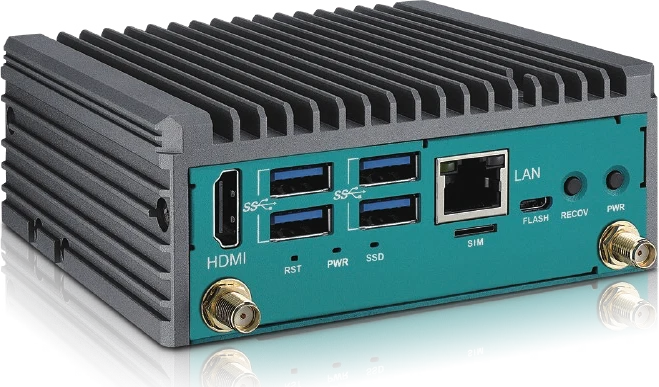
- USB or Ethernet cameras, one to four streams: a compact Orin NX or Orin Nano system such as the EAC-4000 is often enough. It delivers up to 100 TOPS with Super Mode in a 112 × 103 × 45 mm box.
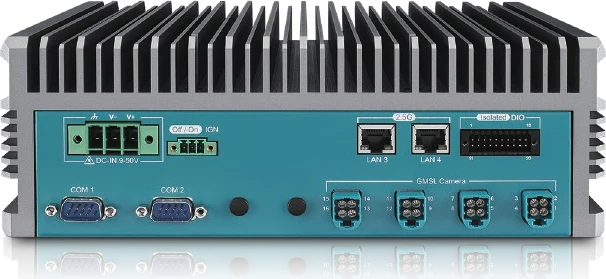
- GMSL automotive cameras: look for native Fakra-Z inputs. The EAC-6100 takes four GMSL2 cameras on Orin NX, the EAC-5000 takes eight on AGX Orin, and the EAC-7200 takes up to sixteen on Jetson Thor.
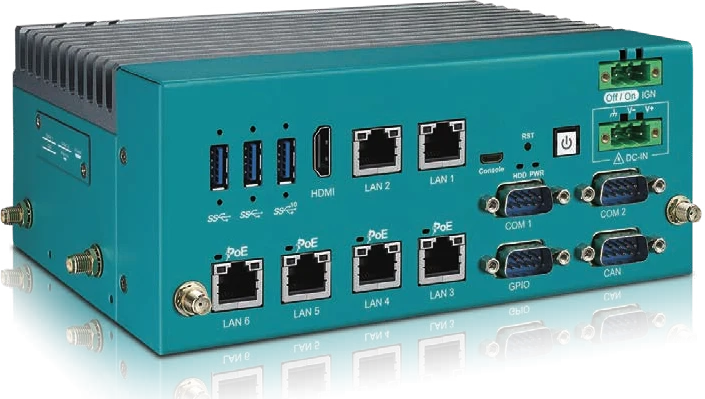
- PoE lidar or IP cameras: PoE+ ports on the computer itself remove a switch and a power supply from the robot. The EAC-6200 and EAC-5100 each provide four PoE+ ports.
Match the module to the workload
| Platform | AI performance | Memory | Good fit for |
|---|---|---|---|
| Jetson Orin Nano / Orin NX | Up to 100 to 157 TOPS (Super Mode) | Up to 16 GB | Vision on compact AMRs, traffic cameras, inspection |
| Jetson AGX Orin | Up to 275 TOPS | 32 or 64 GB | Multi-camera perception, ag machinery, rail |
| Jetson Thor (T5000) | Up to 2,070 FP4 TFLOPS | 128 GB | Humanoids, VLA models, sensor-heavy platforms |
If your roadmap includes larger multimodal or vision-language-action models, memory matters as much as compute. That is where Thor's 128 GB changes what is possible on the robot itself.
Check power and I/O before the spec sheet
Mobile robots and vehicles rarely have clean power. Look for wide-range DC input with ignition control. Most of the EAC family accepts 9 to 50 V DC, while the compact EAC-4000 runs on 12 V DC. Then confirm the boring but critical I/O:
- CAN or CAN-FD for motor controllers and vehicle buses
- Isolated DIO for e-stops, relays and safety signals
- Dual SIM and M.2 slots if the robot needs 5G or LTE in the field
Plan for the environment
Fanless, wide-temperature designs matter outdoors and in dusty facilities. Vibration matters more than most teams expect. On one railway deployment, the fix was not a different computer but a stiffer mount, which is why we now offer a reinforced wall-mount kit for high-vibration installs. Sealed IP67 builds with integrated GNSS and IMU are also available for agricultural and outdoor robots.
Think about the fleet, not just the prototype
The unit you validate should be the unit you can buy in a year. Before locking a design, check three things:
- Lifecycle: will this exact configuration stay available for your production run?
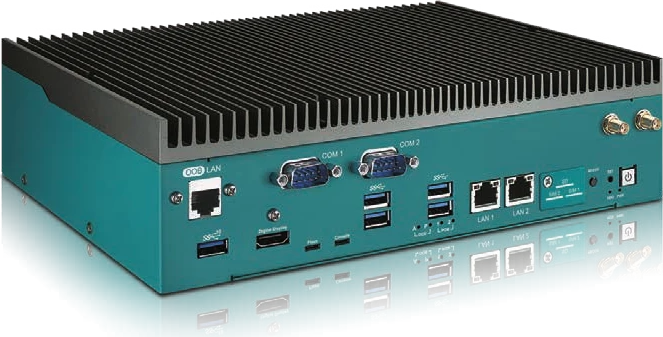
- Remote management: can you power-cycle and recover a unit without sending someone? Systems with Allxon out-of-band management can.
- Time sync: if you fuse many sensors, consider PTP-capable networking and hardware time-stamping, such as Albatron's NeuronEDGE range.
A quick rule of thumb
- Compact AMR or vision box: EAC-4000 or EAC-6000
- Autonomous machine with many cameras: EAC-5000
- Humanoid or next-generation physical AI: EAC-7000 series or TALO-A1000
Not sure where your robot fits? Send us your sensor list and power budget, and we'll recommend a configuration.